Showing posts with label Book Search. Show all posts

Offline Google eBooks

Wednesday, December 21, 2011 0 comments
"I find it amusing that reading books offline is a new feature." (Krewe Maynard)

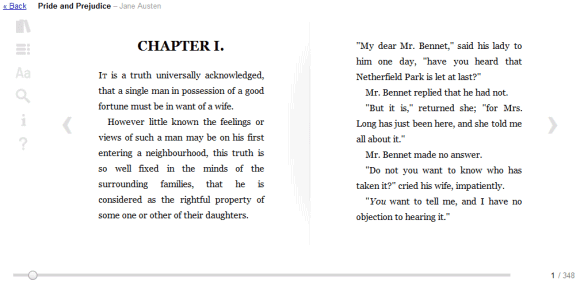
If you've used Google eBooks for Android or iPhone, you probably noticed that the mobile apps had a clear advantage over the desktop app: you could download books to your device and read them offline. The same feature is now available in the desktop app, but only if you use Chrome.

Just like the apps for Gmail and Google Docs, Google eBooks requires some advanced features that can only be enabled by installing a Chrome Web Store app. Another shortcoming is that the offline version of Google eBooks can only be accessed by clicking the app icon or by bookmarking its special URL and not by visiting books.google.com.
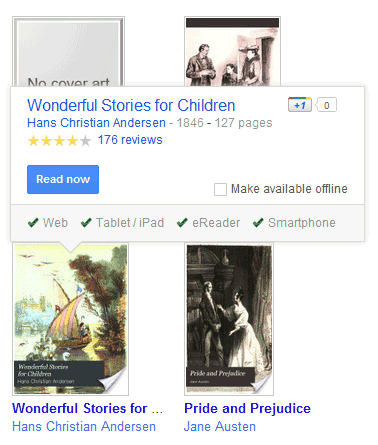

To be able to read a book offline, you need to mouse over the book and click "Make available offline". Advanced features don't work offline, even if not all of them are disabled. You can't search inside a book, take notes or highlight some text.

Right now, the offline app is pretty flaky and buggy. Sometimes you need to wait a few seconds to load the list of books because the app tries to connect to the server. Some of the time, the books didn't even load. Offline Google eBooks looks like an experimental app, but it's nice that you can still try it and help Google improve it. Hopefully, the app will work in other browsers.

{ Thanks, Venkat. }

Google WebGL Bookcase

Tuesday, October 18, 2011 0 comments
Google developed a WebGL app that shows a 3D model of a bookcase with more than 10,000 titles. "We designed a digital bookcase that's an infinite 3D helix. You can spin it side-to-side and up and down with your mouse," suggests Google.

WebGL Bookcase groups books into 28 categories and lets you choose one of them by clicking the button from the top of the page. The animation is impressive. Unfortunately, after selecting one of the books, the application sends you to Google Books to read it. If you have a mobile phone and an app that reads QR codes, you can open the book on your phone.


This could turn into a very cool app for tablets. A future Google Books app for iPad and Android tablets could help users explore the books that are available and even create a special section for the books already owned by the users.


For now, the app requires a browser that supports WebGL (Chrome, Firefox) and a computer with a compatible graphics card. "We recommend using Google Chrome and a fast computer with a powerful graphics card. Even with new hardware, this interface is experimental and may not work on some machines," informs Google. I tried WebGL Bookcase in the latest Aurora (Firefox 9 Alpha 2) builds and it works pretty well. Unfortunately, the app can't open books in Firefox 7.

New Interface for Google Books

Friday, July 29, 2011 0 comments
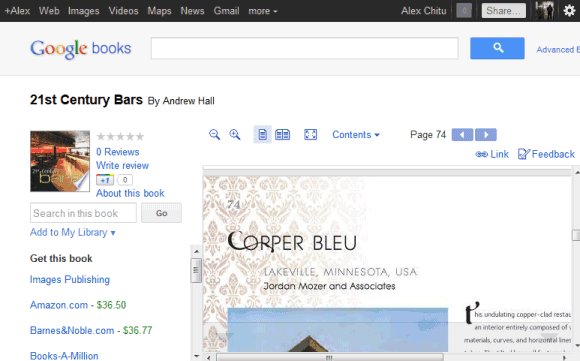
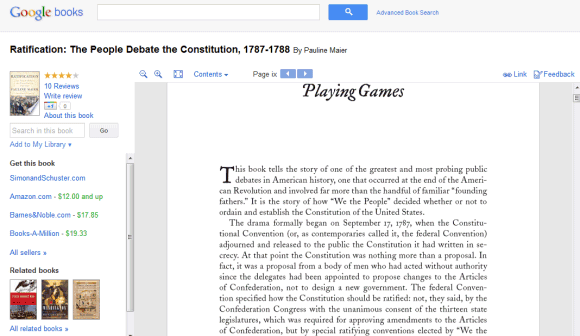
Google Books is the latest Google service with an updated interface that's cleaner and more consistent. Unfortunately, this means there's more white space and less space for books. For example, on a 800x600 resolution almost two thirds of the screen are used for navigation elements. Even if you click the "full screen" button, Google still displays the navigation bar, the search box and the toolbar buttons, while hiding the sidebar and the book's title.


It's clear that the new Google+ interface is not suitable for all Google services and consistency sometimes makes Google's tools less useful. Displaying the navigation bar and the search box takes away valuable space and this is especially noticeable if you use a netbook. The new interface is not flexible or elastic, like Google intended. "The new design will soon allow you to seamlessly transition from one device to another and have a consistent visual experience. We aim to bring you this flexibility without sacrificing style or usefulness," explained Google. It seems that the new design sacrifices usefulness for the sake of consistency.

{ Thanks, Kon Young. }

Google eBooks Integrates with Google Dictionary, Google Translate and Google Search

Friday, May 20, 2011 0 comments
Google's eBook Reader for the Web added a contextual menu that lets you define, translate and search for a selected word or text. "To select text in a Google eBook within the Web Reader, double-click or highlight it with your mouse and a pop-up menu opens with the following options: Define, Translate, Search Book, Search Google and Search Wikipedia," explains the Google Books blog.


Definitions are obtained from Google Dictionary, while translation is powered by Google Translate. If you click "Search Book", Google shows a list of all the instances in which the selected text appears in the book.


These features aren't available yet in the Google Books apps for Android and iPhone.

Google Books Ngram Viewer

Thursday, December 16, 2010 0 comments
Google used some of the data obtained from 15 million scanned books to build Google Books Ngram Viewer.

"The datasets we're making available today to further humanities research are based on a subset of that corpus, weighing in at 500 billion words from 5.2 million books in Chinese, English, French, German, Russian, and Spanish. The datasets contain phrases of up to five words with counts of how often they occurred in each year. (...) The Ngram Viewer lets you graph and compare phrases from these datasets over time, showing how their usage has waxed and waned over the years," says Jon Orwant, from the Google Books team.


The nice thing is that the raw data is licensed as Creative Commons Attribution and can be downloaded for free. Maybe Google should use the same license for the Ngram database obtained from indexing the web.

Google eBooks

Monday, December 6, 2010 0 comments
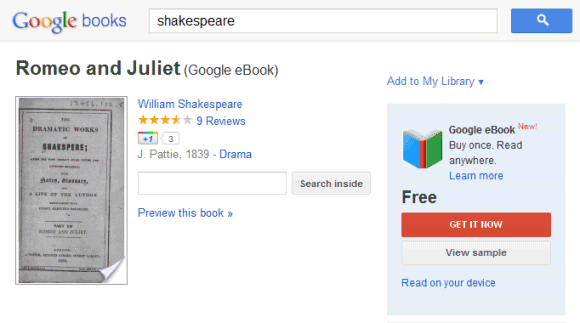
Google launched a new service that lets you buy and read books online: Google eBooks. Right now, you can only buy books if you are in the US, but you can read 3 million public domain books for free from any location.

Google's goal is to create an online book shelf where you can store books bought from Google eBooks or other services. These books can be read using your computer's browser, using mobile apps for Android and iOS devices or transfered to eReader devices that run Adobe Digital Editions.

"We designed Google eBooks to be open. Many devices are compatible with Google eBooks— everything from laptops to netbooks to tablets to smartphones to e-readers. With the new Google eBooks Web Reader, you can buy, store and read Google eBooks in the cloud. That means you can access your ebooks like you would messages in Gmail or photos in Picasa — using a free, password-protected Google account with unlimited ebooks storage," explains Google.

Unlike Picasa photos, you can't download DRM-free eBooks from Google to read them using other devices that aren't currently supported (Amazon's Kindle is an important example). Google eBooks may seem open, but it's actually closed. For example, you can only read books offline using Google's mobile apps and using eReaders that support Adobe's eBook platform.


Google Editions to Be Released This Month

Wednesday, December 1, 2010 0 comments
The Wall Street Journal reports that Google will launch this month Google Editions, the service that will allow users to read copyrighted books from Google Book Search.
The long-delayed venture — Google executives had said they hoped to launch this summer — recently has cleared several technical and legal hurdles, people close to the company say. It is set to debut in the U.S. by the end of the year and internationally in the first quarter of next year, said Scott Dougall, a Google product management director. (...)

Google Editions hopes to upend the existing e-book market by offering an open, "read anywhere" model that is different from many competitors. Users will be able to buy books directly from Google or from multiple online retailers — including independent bookstores — and add them to an online library tied to a Google account. They will be able to access their Google accounts on most devices with a Web browser, including personal computers, smartphones and tablets.

This will finally answer the question "How can I read an entire book in Google Book Search?". Right now, you can only read books in the public domain and some books from the Partner Program. "Many of the books in Google Books come from authors and publishers who participate in our Partner Program. For these books, our partners decide how much of the book is browsable - anywhere from a few sample pages to the whole book," explains Google. Google's partners will now have an incentive to allow full access to the books: users will actually pay to read the books.