Showing posts with label Google Contacts. Show all posts

Google Contacts Integrates With Google+

Thursday, December 8, 2011 0 comments
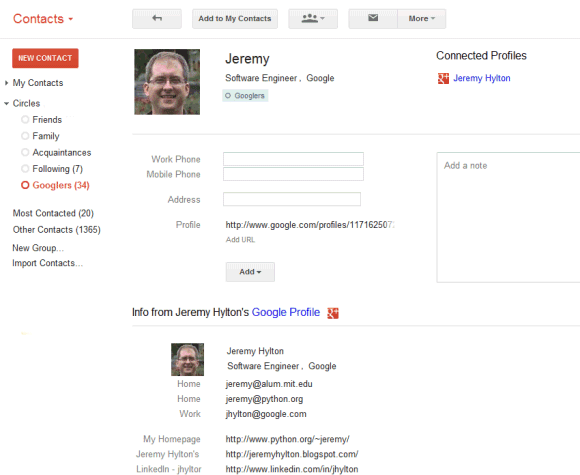
Gmail's contact manger started to include information from Google Profiles. You can also find your Google+ circles in the sidebar, below the list of groups.


By default, the data obtained from Google Profiles is displayed below the information you've entered, but you can combine them: go to a contact page, click the "More" dropdown and select "[Show external data] inline".

It's interesting to notice that the Google Profiles data is automatically added when you enter an email address associated with a profile. To remove this information, just delete the corresponding email address.

The latest features are also available at google.com/contacts, which has recently switched to the new Google Contacts interface, but you can find them in the old Gmail interface, as well.

{ Thanks, Scott, Filipe, Venkat, Yavuz, Shimmy, Zachary and Matt. }

Templates for Google Contacts

Saturday, July 30, 2011 0 comments
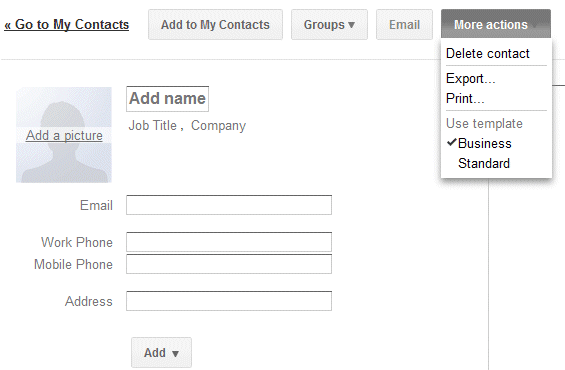
Gmail added a new feature that makes it easier to add a new contact: templates. If you click "More actions" when you create a contact or edit an existing one, you can select the business template to quickly add fields for the job title, company name, mobile phone and work phone.


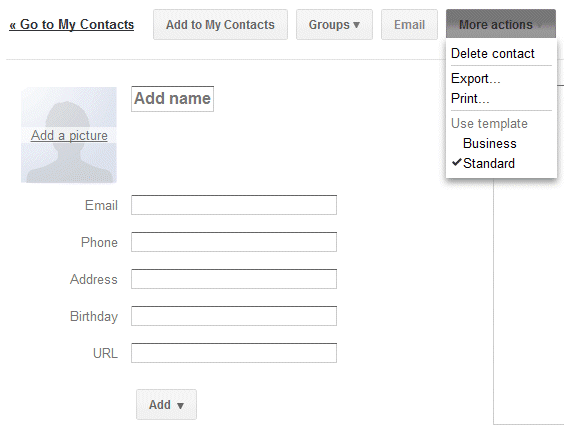
The default template is more generic:


Google Contacts lets you add or delete fields, but you can't delete the fields from a template. Hopefully, Google will allow users to create custom templates and import some of the data from Google Profiles.

{ Thanks, Herin. }

Future Gmail Option: Disable Auto-Adding Contacts

Wednesday, March 30, 2011 0 comments
Google's video that introduces the new Gmail ads shows another option that's not yet available outside Google. In the near future you'll be able to disable a feature that's often useful and sometimes annoying: automatically creating contacts when you send a message.

At the moment, "email addresses are automatically added to your Contacts list each time you use the Reply, Reply to all, or Forward functions to send messages to addresses not previously stored in your Contacts list," according to Gmail's help center. Gmail also adds the email addresses used when you compose a message.

The new option will allow you to disable this feature, but Google's description is strange: "Create contacts (sets whether sending or receiving a message can create a new contact)." Right now, Gmail doesn't automatically create contacts when you receive new messages. You need to reply to the messages first.


Here's the video (you can fast forward to 1:14 min).


{ Thanks, François. }

Restore Google Contacts

Friday, December 17, 2010 0 comments
One of the most annoying things about Google's contact manager is that it doesn't have a "trash" section. If you accidentally delete some of your contacts, it's impossible to retrieve them without a backup. This is a big problem if you use a buggy software that tries to sync your contacts, but manages to overwrite them.

Google tried to address this issue by adding a new option that lets you restore your contacts. You'll find it if you visit Google's contact manager and click on the "More actions" button. "You can restore your contact list to the state it was in at any point within the past 30 days. This is a great way to recover deleted contacts, undo an import, or undo a merge," explains Google.

While this is a very useful feature, Google's implementation doesn't help users who don't remember when they made a mistake. Google should have listed the most recent changes and allowed users to pick one of the revisions, like in Google Docs.


{ via Gmail blog }