Showing posts with label Google Music. Show all posts

Google Music Store

Wednesday, November 16, 2011 0 comments
Google Music is out of beta and users can now buy songs, but only in the US. Business Insider reports that the store has 13 million songs from 3 major labels (EMI, Universal, Sony) and other independent labels, self-released artists can upload their own songs and T-Mobile customers can pay for songs on their phone bills.

Google Music Store is available in the Android Market (both the web interface and a new version of the mobile app that will be released soon). A surprising feature is the integration with Google+: "if you use Google+ to share a song or album with someone either privately or through a circle, the person who receives the share will get one free full play of the song or album. If you do a Public share, people in your circles will get one free full play of the shared song or album. Everyone else who sees the share will get a preview."

Google offers a lot of exclusive songs and albums, but you can't download the free songs from the store without associating a US credit card to Google Checkout.


Google Music will store the songs you've uploaded or bought and now you can also download them. For example, in the web interface, click the arrow icon next to a song and select "Save to computer". The catch is that "you can only download each purchased track from the web 2 times". To download all the songs you've purchased from Google Music, use the Music Manager app.


"Google Music is about discovering, purchasing, sharing and enjoying digital music in new, innovative and personalized ways. Google Music helps you spend more time listening to your collection and less time managing it. We automatically sync your entire music library — both purchases and uploads — across all your devices so you don't have to worry about cables, file transfers or running out of storage space," informs the Google blog.

New Icons for Games and Music in Google Chrome

Thursday, October 20, 2011 0 comments
The latest Dev Channel release of Google Chrome for Chromebooks added two icons to the new tab page. They're similar to the Chrome Web Store icon, but they're for games and music. At the moment, the new icons don't send users to some special pages, but it's likely that they'll be used to promote the games section from the Chrome Web Store and an updated Google Music.


As AllThingsD reports, "Google is finally close to launching a music service with help from the labels". The news was confirmed by Andy Rubin, Google's Senior Vice President of Mobile. "Google is in the very, very early phases of adding consumer products to our portfolio. The media industry didn't see us as that. They saw us a search company," Andy Rubin said, trying to explain why it takes so long to launch a music store and other similar services. At the moment, Google Music is an invite-only service that lets you upload up to 20,000 songs and stream them to any computer, iOS or Android device.

{ Thanks, Sean. }

Google Music Lyrics

Monday, July 18, 2011 0 comments
Google Music Lyrics is a Greasemonkey script that adds a lyrics panel to Google Music. It only works in Firefox and there's a single lyrics provider: SongLyrics.com.


The lyrics are cached so that they're displayed instantly the next time you play the same song. You can also edit the lyrics and the changes are saved using HTML5 local storage. To hide the panel, click the title.

Chris Hendry, who developed the script, plans to add other lyrics providers, allow users to import and export lyrics and to make the script work in Google Chrome.

How to Use Google Music on an iPad or iPhone

Friday, June 24, 2011 0 comments
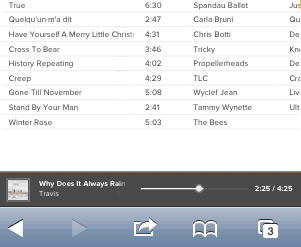
I mentioned in a previous post that you can use Google Music Beta on an iPad and even on an iPhone or iPod Touch, but some users complained that it didn't work for them. Google Music loads well, but after clicking the "play" button nothing happens.

Here's a trick to make Google Music work every time: start playing a song, pause and play again. It's unfortunate that you have to use a workaround, but Google Music doesn't officially support Safari for iOS. The system requirements page says that it only supports "Google Chrome, Firefox, Safari, and Internet Explorer 7 and above" and that you need Adobe Flash.


It's interesting that this trick lets you play music on more than one device simultaneously. For example, I was able to play music on my iPad and iPhone at the same time, even if Google says that "music from your library cannot be played simultaneously on more than one device". The unofficial non-Flash interface is an unexpected loophole.

A Chrome Extension for Google Music

Thursday, June 23, 2011 0 comments
While there's no official extension for Google Music and not even an app in the Chrome Web Store, you can install a really cool third-party extension called "Better Music Beta". The extension adds a button that shows information about the currently playing song, lets you pause the song, go to the next song, add a thumbs up or a thumbs down. There's also a notification that shows up every time the song changes.

My favorite feature is the Last.fm integration: if you enable it, Better Music Beta scrobbles your songs and lets you publicly show that you love a song by clicking the "heart" icon.

The downside is that you still have to open Google Music in a tab, since the music stops playing if you close the tab. Converting the extension into a "background app" would solve this problem.


Google Music requires an invitation and it's supposed to be US-only, but it works even if you're not in the US. Google only checks your location when you request an invitation and you can always use a US proxy for this one-time action. Another interesting thing is that, even though Google Music lists Flash as a requirement, the service works pretty well on an iPad.

Google Music Streaming

Tuesday, May 10, 2011 0 comments
Wall Street Journal reports that Google will unveil a music streaming service at the Google I/O developer conference.

"Users of the service are expected to be able to listen to songs they have uploaded to the service in a so-called streaming mode but won't be able to download the files themselves. That limit appears to be a bid by Google to hinder the service from being used to spread pirated music. (...) The service is unlikely to be tied to an online music store like Amazon MP3, which gives users the option of adding new songs to their music locker at the time they buy them."

If you go to http://music.google.com/music/, you'll get an error message: "We're sorry. Music Beta is currently only available in the United States," but you'll at least see Google Music's logo, borrowed from a new version of the Android music app.


Update: As Google's blog informs, "Music Beta by Google [is] a new service that lets you upload your personal music collection to the cloud for streaming to your computer and Android devices. With the new service, your music and playlists are automatically kept in sync, so if you create a new playlist on your phone, it's instantly available on your computer or tablet. You can use a feature called Instant Mix to create a playlist of songs that go well together. You can even listen to music when you're offline: we automatically store your most recently played music on your Android device and you can choose to make specific albums or playlists available when you're not connected. The service is launching in beta today to U.S. users and is available by invitation." While it's in beta, the new service is available for free. To upload your music, you can use a Windows/Mac application called Media Manager. There's also a new version of the Android music app that has a new interface and integrates with the Google Music service.


{ Thanks, Scott. }