Showing posts with label Google Plus. Show all posts

Google Search Pages Hide +1 Buttons

Friday, December 9, 2011 0 comments
+1 buttons no longer clutter Google's search results pages. They're now displayed when you mouse over the results for most of the pages. If you have +1'd a page, the button will be displayed by default to highlight the result.


In other search-related news, the preferences page has a new interface with custom controls, while the advanced search page switched back to the old interface. Maybe someone read this post and decided to fix the drop-down lists.


Gmail Integrates With Google+

0 comments
It looks like not only Google Contacts integrates with Google+. Gmail also added many features that make it easier to share files in Google+, add new people to your circles and find messages from these circles.

A lot of people complained that you can't find the messages sent or received by the members of a group. This feature is still not available, but you can restrict the messages to a circle. Gmail now displays the list of circles below the labels and you can use it to find mail from your family, friends, colleagues etc. It's obvious that groups are now less important than circles, even though I don't think they'll disappear.

"If you've spent time building your Google+ circles, you can now quickly use them to filter your mail, saving yourself from having to sift through that pile of daily deal emails and newsletters. You can see messages from all of your circles at once or from each individual circle. And if you want, you can show circle names on emails in your inbox. Contacts can also be filtered by circles, making it easier to view your social connections."


You can now add someone to a circle from the widget displayed in the right sidebar. There's also an easy way to share pictures from an email to Google+: just click "share" next to the attachment.


{ Thanks, Petros and Joost. }

Face Recognition in Google+

0 comments
Google+ is rolling out a feature called Find My Face, which helps other people tag you in their photos. Find My Face uses the face recognition data from Picasa Web Albums to make suggestions. The feature is disabled by the default and you can enable it from the settings page. Google says that it will share this data with the people you know, which probably means the people from your circles.

"Around the holidays, many of us get together with friends and family, and if you're like me, you take lots of photos! Tagging those photos can be a lot of work. So today we're launching Find My Face, an easier way to tag photos of yourself and your friends. By turning on Find My Face, Google+ can prompt people you know to tag your face when it appears in photos. Of course, you have control over which tags you accept or reject, and you can turn the feature on or off in Google+ settings. Find My Face will be rolling out over the next few days," informs Google.


Unlike Facebook, Google won't enable this feature by default. "We recognize that Google has to be extra careful when it comes to these [privacy] issues. Face recognition we will bring out once we have acceptable privacy models in place," said a Google employee back in March. VentureBeat concludes that "by making a simple opt-in procedure, Google will let the 'privacy-schmivacy' set enjoy the benefits of the new tech while sidestepping any accusations of dirty dealing from those who take privacy a bit more seriously".

{ Thanks, Venkat. }

Google Schemer: Social Goal Management

0 comments
Schemer is an invite-only Google service for sharing and discovering things to do. "A scheme is any activity that can be done in the world, whether it's ordering a favorite dish at a restaurant or snorkeling in the Caribbean with sharks," explains Google.

Much like 43 Things, Schemer lets you define goals and mark the things you've already accomplished. You can inspire other people, find people who have the same goals and join the conversation. To make it easier to find a scheme, you can add tags and locations. Google also partnered with Bravo, Food Network, Rolling Stone, IGN and Entertainment Weekly, so you can get ideas from experts, not just from your friends.


"Whether it's exploring a new city, checking out a friend's movie recommendation, or just finding new activities for your weekends, Schemer lets you discover new things to do, share schemes with friends, and make the most of your day," mentions Schemer's team. The service is integrated with Google+ and you need to join Google+ to be able to use it. "Schemer uses your profile picture and name from your Google+ account to identify you as a schemer user. This means that when you post a scheme, write a comment, post a reply, or indicate either you want to do or have done a scheme, your profile picture and name will be attached to those activities."

Schemer is actually a Google+ app and it's likely that you'll be able to use it inside Google+ in the future. Google also promises to launch a mobile app for Schemer so you can find schemes related to your location.

Now that Google+ no longer requires invitation, Schemer could make Google+ more popular. There's a great viral video, an interesting design and a site that doesn't look like a regular Google service. A scheme is "a secret or devious plan" (American Heritage Dictionary) and a schemer is a person who is involved in making these secret plans, so Google uses a mustache logo, a mesmerizing animated homepage, the Hitchcock font and catchy messages like "You're looking diabolical!" or "Invite your partners in crime".


Note: this post includes another invitation link. The first 20 people who can find it will get access to Schemer, but each one can invite other 20 people.

Update: you can find more invitations using Google Search and Twitter Search.

{ Thanks, Venkat. }

Google Contacts Integrates With Google+

Thursday, December 8, 2011 0 comments
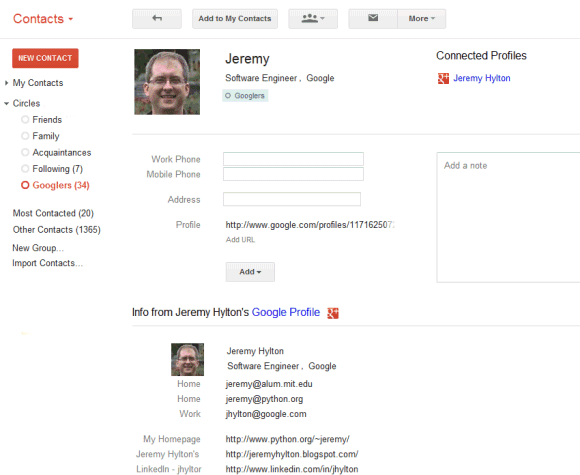
Gmail's contact manger started to include information from Google Profiles. You can also find your Google+ circles in the sidebar, below the list of groups.


By default, the data obtained from Google Profiles is displayed below the information you've entered, but you can combine them: go to a contact page, click the "More" dropdown and select "[Show external data] inline".

It's interesting to notice that the Google Profiles data is automatically added when you enter an email address associated with a profile. To remove this information, just delete the corresponding email address.

The latest features are also available at google.com/contacts, which has recently switched to the new Google Contacts interface, but you can find them in the old Gmail interface, as well.

{ Thanks, Scott, Filipe, Venkat, Yavuz, Shimmy, Zachary and Matt. }

Google Reader's New Share Button

Friday, November 11, 2011 0 comments
When Google Reader released the new interface, I complained that sharing a post takes too many clicks: you first need to +1 the post, then click the share box and finally click "share". Now it's easier to share a post: just click the new "share" button and click "share" once again in the modal dialog.


Another advantage is that you can use the old keyboard shortcut for sharing items: Shift+S. Unfortunately, you can't use keyboard shortcuts in the modal dialog, so you still need to click "Share".

Decoupling the "+1" button from the "share" button is a good idea and Google should adjust the code of the +1 widget to make this possible. "Liking" and "sharing" are two different actions and should be treated separately, especially considering that +1's are always public, while sharing can be limited to a few people or circles.

{ Thanks, Zachary and Herin. }

Google+ Badges

Wednesday, November 9, 2011 0 comments
Now that you've created a Google+ page for your company, product or blog, how do you get people to follow the page? The answer is the Google+ badge, a customizable widget that helps you connect your site to a Google+ page. "The Google+ badge helps you grow your audience on Google+ and show more recommendations in Google search by letting people add you to their circles and +1 your page, all without leaving your site," explains Google.

Right now, the badge is only available if you sign up for the Google+ Platform Preview, but it will soon be publicly available. If you already have a Google +1 button on your site, you only need to add two lines of code.

1. connect your site with the Google+ page by adding this code to the <head> section of the HTML document:
<link href="https://plus.google.com/PAGE_ID/" rel="publisher" />

(where PAGE_ID is the long number from the URL of your Google+ page).

This has the added benefit that the page may qualify for Direct Connect and people can visit the page by typing +PAGE_NAME in Google's search box. "In addition to helping us better index your Google+ page, this snippet will help you show more personal recommendations around the web by linking your +1's on sites, your Google+ page, search and display ads," mentions Google.

2. add this code where you want to place the badge:
<g:plus href="https://plus.google.com/PAGE_ID/" size="badge"></g:plus>


You can also add static badges that only include an icon and a short text, although it's probably easier to manually add the icon and link to the Google+ page.

Use this page to generate the code, but make sure that you subscribe to the Platform Preview group to see the badge. Please note that only those who subscribe to the group can see the badges and try other new features that aren't publicly available.

Google +1 Buttons for Image Search Results

0 comments
When you mouse over a Google image search result, you'll see a +1 button that lets you recommend the image to the people that follow in Google+.


At some point, Google removed the social features from the image search engine and now only relies on the +1 button to provide social recommendations. The nice thing is that Google annotates image results with the relevant people that +1'd the images.


The social layer is no longer a separate section, but it's less comprehensive: the previous version included "pictures that your friends and other contacts have published publicly to the web on photo-sharing sites like Picasa Web Albums and Flickr". The "results from your social circle" were probably less relevant since Google generated the social circles from your Gmail contacts, Google Talk buddies, the people you follow in Google Buzz and Twitter. It's likely that the social circles were just an approximation of the circles you can create in Google+ and Google will phase out this feature.

Google+ Pages

Monday, November 7, 2011 0 comments
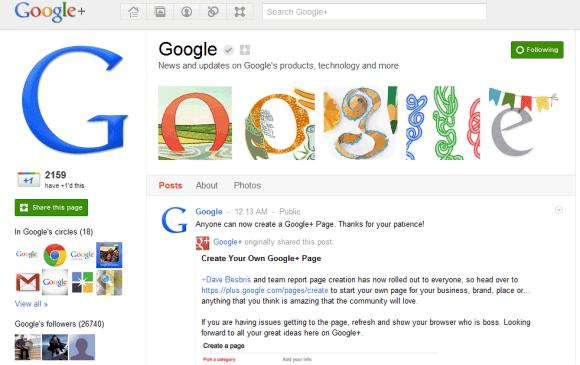
After a few months of testing, Google+ pages are available to everyone. You can create public pages for brands, products, local businesses and more.

"For businesses and brands, Google+ pages help you connect with the customers and fans who love you. Not only can they recommend you with a +1, or add you to a circle to listen long-term. They can actually spend time with your team, face-to-face-to-face. All you need to do is start sharing, and you'll soon find the super fans and loyal customers that want to say hello," says Google.


Google+ pages look like Google+ profiles, but there are some differences: pages can't +1 other pages, don't support notifications and "can't add people to circles until the page is added first or mentioned".

People can add pages to one of their circles and there's a new built-in circle called "Following" that can be used to follow pages. The circle is used to automatically follow pages if you enable this option.

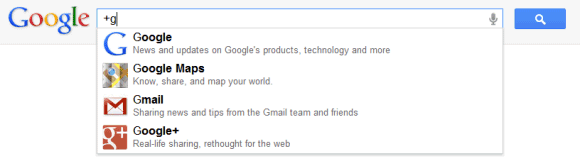
If you've been wondering why the + operator no longer works in Google search, the answer is that you can now use it to find Google+ pages. Type +google in the regular Google search box, press Enter and you'll be sent to Google's Google+ page. This only works for a small number of pages and the search box is smart enough to autocomplete the page's name.


To test the new feature, I've created a Google+ page for this blog where you'll find more news and tips about Google.

Google's Location-Based Social Annotations

Friday, November 4, 2011 0 comments
You've probably noticed that Google annotates search results with social data, especially from Google+ and Google +1. You'll sometimes see that a page was mentioned in a Blogger post or a Twitter message by one of your Google+ friends. For other results, Google lists the Google+ friends that +1'd the pages.


If a page has a lot of +1's, Google occasionally shows the number of +1's bellow the snippet. To make the annotation more relevant, Google now shows the number of +1's from your location. For example, "763 people in New York, NY, USA +1'd" Google's Webmaster Tools page.


I'm not sure that it's useful to know the number of +1's for the top results of a navigational query, but this could be useful when you're trying to find a popular restaurant or an Android game.

{ Thanks, Nick. }

YouTube's Google+ Player

Thursday, November 3, 2011 0 comments
Google+ added a small YouTube icon that's always displayed next to the scrollbar. When you mouse over the icon, you'll see a search box that asks you "what would you like to play?". Type your query and Google+ opens a pop-up window with 20 search results. It's actually a playlist and videos start playing automatically.


You can +1 a video you like or share it with your circles. When you share a video, Google also adds a link to a playlist with related videos.

The nice thing is that you can minimize the pop-up window and still be able to pause a video or go to the next video directly from Google+. This is especially useful for music.


"It's no secret that YouTube is filled with tons of great content (from inspiring speeches to music videos to honey badgers). We wanted to bring YouTube directly into Google+ — as well as make it easier to watch and share your favorites — so we're launching a YouTube 'slider' in the stream," mentions Google's Vic Gundotra.

What about a Google Music player?

{ Thanks, Thomas, Benjamin and Herin. }

Chrome Extension for Google+ Notifications

0 comments
If you miss Google+ notifications when you're not visiting a Google page, you can now install a Chrome extension and always get the latest updates.

"Whenever you have a new notification (for example, when someone adds you to a circle or shares a post with you), the extension button will turn red and show you how many updates are waiting for you. Once you click the button, a window will drop down showing you all of your most recent notifications. You can act on notifications right from the extension, whether you're replying to a comment or adding someone back to your circles. That way you can stay up-to-speed with your circles on Google+ no matter where you are on the web," informs Google.


There's also a +1 button for Chrome that lets you +1 a page and share it with your circles.

{ Thanks, Venkat. }

Google+ for Google Apps

Thursday, October 27, 2011 0 comments
As promised, Google+ is now available for Google Apps users. Administrators can enable the new service from the control panel, as explained here. Google+ requires that Picasa Web Albums and Google Talk are enabled and that the organization uses the new accounts infrastructure. If the two services are enabled and the option to automatically add new services is selected, Google+ is automatically enabled.


After the enabling the service, you need to wait a few minutes until you can use it. Obviously, users have to manually join Google+ by visiting plus.google.com. "Google Apps users will have access to the same set of features that are available to every Google+ user, and more. In addition to sharing publicly or with your circles, you'll also have the option to share with everyone in your organization, even if you haven't added all of those people to a circle," explains Google.

It's interesting that Google+ is available for higher education institutions, but not for other education institutions because users must be at least 18 years old to use Google+.

You probably noticed that Google+ evolves incredibly fast, faster than any other Google service. The support for Google Apps is not the only new feature: there's Hot on Google+ (a section that highlights popular posts), Ripples (a visualization tool for public shares and comments) and a Creative Kit for photo editing powered by Picnik.

Blogger to Integrate With Google+

Monday, October 24, 2011 0 comments
When you edit your Blogger profile, Blogger shows a message at the top of the page that says: "Connect Blogger to Google+: Use your Google profile and get access to upcoming Google+ features on Blogger". Unfortunately, the links seem to be broken, but both URLs reference profile switching.


It's obvious that Blogger profiles will be discontinued and replaced by Google Profiles, but it's not clear how Blogger will integrate with Google+. Maybe Blogger posts will automatically trigger Google+ posts and Blogger/Google+ comments will be synchronized. Friend Connect will be discontinued and Google+ could replace it. Friend Connect's goal was to "help site owners easily provide social features for their visitors. Users gain the ability to sign in to, make friends on, and interact with your site, making it more social and more dynamic". It wasn't successful, but Google+ has a better chance to make Blogger more social.

Update: Blogger's blog informs that this option is available if you use Blogger in Draft and it will be released in the regular Blogger interface in the coming weeks. For now, the only changes are that the Blogger profile redirects to the Google profile, the author's name is now obtained from Google Profiles and Google's snippets for the blog posts include information about authors: name, thumbnail and link to the profile. "If you blog under a pseudonym and do not want your blog to be associated with your real name, you should not migrate from a Blogger profile to a Google+ profile," suggests Google. If you change your mind after switching to the Google+ profile, you can revert to the Blogger profile.

{ Thanks, Herin. }

Google Reader Will Integrate With Google+

Thursday, October 20, 2011 0 comments
A lot of people expect a redesigned Google Reader and the good news is that they won't be disappointed: a new interface will be available next week. Google Reader is not dead, but the new interface couldn't be released faster because the sharing feature had to be integrated with Google+.

My favorite feature of Google Buzz was that it automatically imported all the shared items from Google Reader and allowed your followers to discuss them. Now that Google Buzz will be discontinued, this feature will be available in Google+. Unfortunately, Google Reader will no longer have a standalone sharing feature, a separate list of followers and people you follow, a feed and a page for shared items. This is great if you are a Google+ user, since it simplifies sharing and makes Google Reader more consistent. If you don't want to use Google+, you'll still be able to share posts by email or using the "send to" feature, but these workarounds aren't very useful for sharing a large number of posts.


The takeaway is that Google+ is not a distinct social service you can easily ignore, it's a service that will be used for sharing photo albums, documents, videos, for posting blog comments and it will be very difficult to use Google without joining Google+ since, at some point, Google+ will be... Google itself.

"Many of Reader's social features will soon be available via Google+, so in a week's time we'll be retiring things like friending, following and shared link blogs inside of Reader. We think the end result is better than what's available today, and you can sign up for Google+ right now to start prepping Reader-specific circles. We recognize, however, that some of you may feel like the product is no longer for you," mentions Google's Alan Green. That's the reason why you'll be able to export your shared items, your starred and liked items, your list of friends from Reader's settings page.

Google Reader's sharing feature has always been difficult to use and the integration with Google+ will finally give Reader the opportunity to shine and show why it's still a useful service. I'm sure that a lot of users will complain that they can't use the old sharing feature, just like many YouTube users complained when Google migrated YouTube to Google Accounts. There's a lot of value in having separate services with their own accounts, sharing features and friends lists, but switching to unified accounts, unified profiles, consistent sharing features makes Google's services more useful because they work together, they combine their strengths and become easier to use.

Connect YouTube with Google+

Saturday, October 15, 2011 0 comments
YouTube now lets you connect your Google+ account and watch the videos shared by your friends on YouTube's homepage. At the moment, AutoShare is not available and you can't automatically share activities like uploading a video, commenting on a video or liking a video.

To enable this feature, go to Settings > Sharing and click "Connect" next to Google+.


You'll have to wait a few hours until YouTube starts to show videos shared by the people you follow in Google+. Unfortunately, there's a significant delay and the videos aren't added in real time.


{ Thanks, Katty, Herin and Venkat. Via Nirav. }

Google+ Photos Replaces Picasa Web in the Navigation Bar

Tuesday, October 11, 2011 0 comments
This is really weird. The "photos" link from Google's navigation bar no longer sends you to Picasa Web Albums if you're logged in. Google decided to send users to the Photos section from Google+ which shows photos from your circles, photos from your Android phone, photos you've been tagged in and your list of Picasa Web albums.


You can still go to Picasa Web Albums, but you have to bookmark the old URL or manually type it in the address bar. Google+ Photos lacks many of the features from Picasa Web Albums: Picnik integration, batch editing, entering an album description, ordering prints, creating album maps, moving photos to a different album and more. The interface is more user friendly, but it's not yet a full-fledged photo sharing app.

{ Thanks, Herin. }

"Google+ Is Google Itself"

Wednesday, September 28, 2011 0 comments
If you thought that Google+ is just a separate service you can easily ignore if you don't want to use it, you were wrong. In an interview with Steven Levy, Bradley Horowitz - Google's VP of products - says that Google+ is actually Google itself.
Until now, every single Google property acted like a separate company. Due to the way we grew, through various acquisitions and the fierce independence of each division within Google, each product sort of veered off in its own direction. That was dizzying. But Google+ is Google itself. We're extending it across all that we do — search, ads, Chrome, Android, Maps, YouTube — so that each of those services contributes to our understanding of who you are.

Redesigning all Google services to match the Google+ interface is not just about consistency, it's also a way to show that they're part of the same super-service, an encompassing layer that makes them work together.

Google+ made Android's camera app integrate with Picasa Web Albums, Google Talk integrate with YouTube and Google Docs. It's likely that Google+ will make Google services more useful by combining their strengths. That's probably the reason why you'll use Google+ even when you're not going it to Google+ and you'll end up joining Google+ even if you don't like social networks.

Google+ for Everyone

Tuesday, September 20, 2011 0 comments
Three months after the launch, Google+ no longer requires invitation and it's available to anyone who has a Google account. "For the past 12 weeks we've been in field trial, and during that time we've listened and learned a great deal. We're nowhere near done, but with the improvements we've made so far we're ready to move from field trial to beta," informs Google.

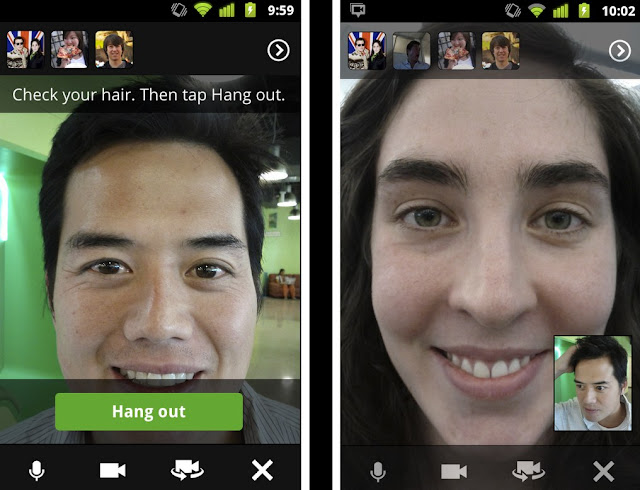
The service has improved a lot, more quickly than any other Google product ever released. After announcing the public data APIs, Google added support for Hangouts in the Android app and added the option to broadcast a Hangout, but only for a small number of users. "We're starting with a limited number of broadcasters, but any member of the Google+ community can tune in. In fact: we'll be hosting our very first On Air hangout with will.i.am on Wednesday night, September 21. For more information visit will.i.am's profile on Google+."


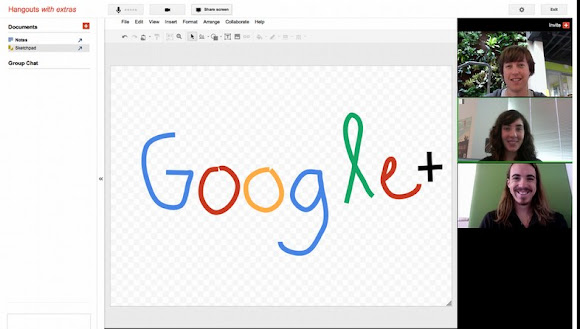
Hangout has many other features you can preview by clicking "Try Hangouts with extras": screensharing, sketchpad, Google Docs integration and named hangouts "for when you want to join or create a public hangout about a certain topic".


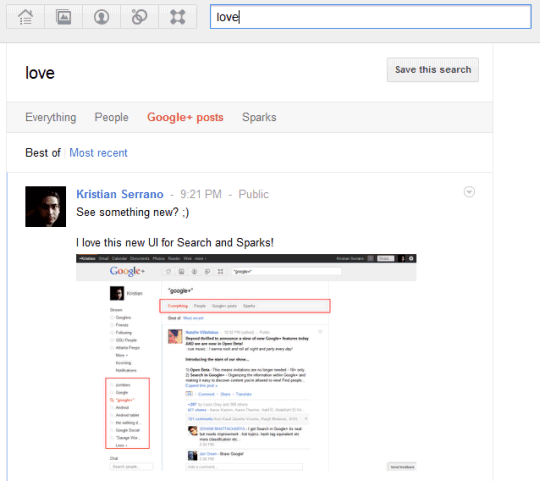
The search box is now more useful because you can use it to find posts from your friends and from other Google+ users. Google also lets you restrict your results to people and save your search.


Google doesn't disclose the number of Google+ users, but a Comscore report from August estimated that "in just one month, Google+ has captured 25 million visitors". It's likely that Google+ has a lot more users today and the number will grow, now that the service no longer requires invitation. Google+ is the first social service launched by Google that's actually successful.

New Features for the Google +1 Button

Wednesday, August 31, 2011 0 comments
That was quick. After a few days of testing, the improvements to the Google +1 button are publicly available.


When you mouse over the button, Google shows a list of friends that +1'd the page. The same list is now displayed next to the button if you change the code and select inline annotations. This is the new default option when you generate the code, but not everyone will like it because it takes a lot of space. Google probably chose this option because you're more likely to +1 a page if some of your friends already did that.


The Google +1 button also lets you share a page to Google+. After clicking "+1", Google shows a box where you could enter your comments and choose one or more circles. Google shows a title, a thumbnail and a short snippet from the page. By default, they're automatically generated, but developers can explicitly annotate the page using the schema.org microdata or the Open Graph protocol, which is also used by Facebook. At the least, you should add a tag for the image that best represents the page.