Showing posts with label Google Calendar. Show all posts

New Colors in Google Calendar

Tuesday, October 18, 2011 0 comments
Google Calendar updated the color palette and you can now choose from 24 colors that match the new interface. "The color of each of your calendars has been updated to use the closest possible color from the new palette. The new colors will only be available in the web interface (for example, you won't see these colors if you're accessing Calendar via your mobile phone)," informs Google.


It's worth mentioning that the new colors are only available if you use Google Calendar's new UI. To switch to the new interface, click the Options menu in the navigation bar and select "Try the new look". You can always go back to the old UI from the same menu.


{ Thanks, Cougar, Ralph and Herin. }

Open Webcal Links Using Google Calendar in Chrome

Friday, October 7, 2011 0 comments
If you visit Google Calendar using Chrome, you'll probably notice an infobar that asks you to "allow Google Calendar to open all web calendar links". Chrome has recently added support for protocol handlers, so that you can associate Gmail with mailto: links and Google Calendar with webcal: links. The infobar from Google Calendar requests your permission to associate the webcal: protocol with the application.


According to Wikipedia, "Webcal is an unofficial Uniform Resource Identifier scheme for accessing iCalendar files. Webcal was initiated for use with the Apple iCal application and has become a common de facto standard for accessing iCalendar formatted files via WebDAV. It is not an official URI scheme, such as http and ftp, as registered with IANA. The Webcal protocol prefix is used to trigger an external protocol handler which is passed the URL of the .ics file rather than being passed the downloaded contents of the file, in much the same way feed is sometimes used to trigger external RSS readers. The idea is that with this protocol prefix the target file should be subscribed to rather than imported into the calendar application as would happen with a simple download."

Here's an example of webcal: link that lets you subscribe to a calendar that includes the US holidays. You can find more calendars at iCalWorld and iCalShare.

To edit the protocol handlers in Google Chrome, open a new tab and paste in the address bar: chrome://settings/handlers (you can also go to Options, select Under the hood, click Content settings and then click Manage handlers).


Firefox also has this feature and it's even more powerful because it also works for filetypes. Unfortunately, you can only associate them with native apps, not with Web apps.

{ Thanks, Sterling. }

Offline Google Calendar

Thursday, September 1, 2011 0 comments
As previously announced, Google Calendar's offline mode started to be rolled out and some of you can already use it. Just like the offline Gmail, Google Calendar only works in Google Chrome and requires to install an app from the Chrome Web Store to enable an advanced permission for "unlimited" local storage (it's not really unlimited, but the app can use a lot more than 5 MB, the default limit). If you click the wrench icon and select "Offline", Google will ask you to install the app.


After installing the app, Google starts to save the events from your calendars to you computer. To customize the list of calendars that are available offline, click the wrench icon, select "Offline" and then "Offline settings".


When you are offline, most Google Calendar features are disabled, just like in the Gears implementation. You can't create new events, edit the existing events, search your calendars or print your calendars. You can only view some of the events from your calendars and RSVP to existing event invitations. Google Calendar doesn't even save all the events from your calendars. When trying to find older events, Google Calendar showed this message: "Your offline calendar only contains events from Jul 21, 2011 to Jan 5, 2012".


Google says that you can only use offline Google Calendar for one account, even if you use multiple sign-in. Google Apps users can try this feature, but only if the admins have switched to the new infrastructure. "To disable your offline access, click the gear icon and select Disable offline calendar from the drop-down menu. This will disable offline access and remove any data stored on your computer."


While it's nice that the offline Google Calendar is not a separate app, the offline mode is read-only and doesn't even sync all your events. Google should let you search, create and edit events and add support for other browsers.


{ Thanks, Scotty. }

Offline Gmail, Google Calendar and Google Docs

Wednesday, August 31, 2011 0 comments
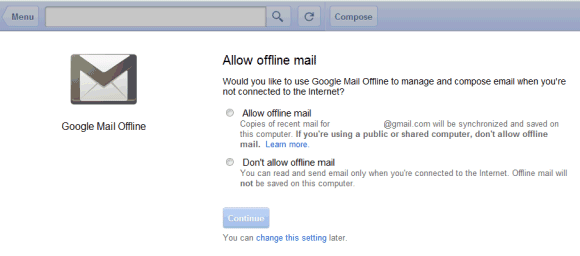
As promised, Google brought back the offline mode for Gmail, Google Calendar and Google Docs. The updated apps use HTML5 features and no longer require the Gears plugin.


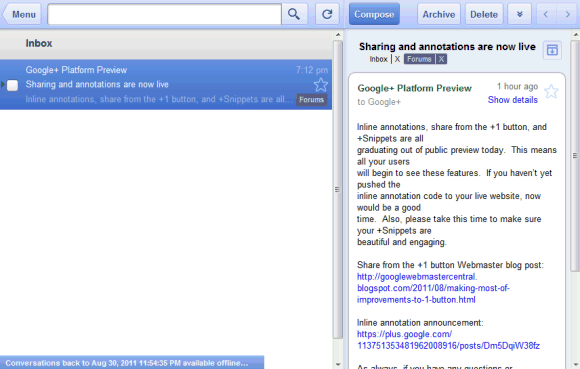
For Gmail, Google chose the easy way out and tweaked the tablet interface. You can only use it in Google Chrome after installing this app from the Chrome Web Store. The app lets you archive and label email, compose new messages and read the messages you've received, but it doesn't have all the features from the standard version. The interface is more suitable for tablets, so this is more like a temporary workaround instead of a definitive solution.


Offline Google Calendar and offline Google Docs aren't yet available to everyone and will be rolled out in the coming days. Google says that the offline mode is built into the apps, just like the Gears version. "Google Calendar and Google Docs let you seamlessly transition between on- and offline modes. When you're offline in Google Calendar, you can view events from your calendars and RSVP to appointments. With Google Docs you can view documents and spreadsheets when you don't have a connection. Offline editing isn't ready yet, but we know it's important to many of you, and we're working hard to make it a reality. To get started using Google Calendar or Google Docs offline, just click the gear icon at the top right corner of the web app and select the option for offline access," explains Google.


I don't see the offline settings for Google Calendar and Google Docs in my account, but offline Gmail is disappointing. It only works in Chrome, it has a different URL (https://mail.google.com/mail/mu/), the interface is optimized for iPad and Android tablets and it's very limited. Hopefully, Google will add support for offline access to the regular interface.


Google Calendar Grays Out Old Events

Monday, August 29, 2011 0 comments
Google Calendar found a way to separate old events from upcoming events: old events are now grayed out. The interface also grays out future recurring events because it's likely that they're less important (this was an experimental feature in Google Calendar Labs).


If you don't like the new features, it's easy to disable them: go to the "Options" menu from Google Calendar's navigation bar, select "Calendar settings", go to the "Event dimming" section and disable these two options: "Dim past events" and "Dim recurring future events".


Google says that the brightness of these events is reduced "so you can focus on today", although you'll be able to better focus on the future, as well.


{ Thanks, Cougar. }

Google Calendar's Design Refresh

Thursday, June 30, 2011 0 comments
After Google Search and Google Maps, it's time for Google Calendar to switch to a Google+ interface. The new design is a lot cleaner, even if no important feature was removed. "Quick add" is now available if you click the arrow next to the "Create button" (not very intuitive), "Print" and "Refresh" are now buttons instead of links, the month view below the "Create" button can be collapsed, "Save" and "Discard" buttons are only displayed at the top of the page.


"Right now, the changes are just cosmetic and have not affected the way Calendar works. You can choose to turn off the new look by clicking the gear icon and choosing Use the classic look (you can turn it back on by going to the gear icon and choosing Try the new look)," explains Google. Obviously, at some point, Google Calendar will integrate with Google+ and we'll see even more changes.

{ Thanks, Andrew. }

Google Calendar Adds Event Colors

Monday, May 9, 2011 0 comments
Google Calendar still doesn't offer support for labels, but you can now pick a color for each event. By default, each event inherits the calendar's color, but you can change it by clicking the event and using the small drop-down displayed next to the event's title.

"Color Coded Events lets you assign specific colors to certain events: put pink on your daughter's soccer practice or make your lunch dates red. It's a great way to stay organized, keep track of recurring events, and add a little flair to your calendar. Color coding is private to you and anybody who can edit your calendar," explains Google.


If you want even more options, go to Google Calendar Labs and enable "Event flair" to be able to add icons to your events.

{ Thanks, Brahm. }

Google Calendar's Favicon Changes Every Day

Wednesday, April 13, 2011 0 comments
When Google Calendar changed the favicon, many people wondered why it only shows 31. "Does it mean that starting today, every day will be the 31st ? Serously, favicon should be changed everyday to match the date," suggested a Google Calendar user.

Google listened to the feedback and the favicon will now change every day. "When you look at the Google Calendar icon at the top of your browser window, it will no longer always display 31 but will instead change to reflect the current day of the month. Today's date is now always a short glance away."


Google Calendar is the first Google service that has a dynamic favicon, but you can change Gmail's favicon to show the number of unread messages.

Quickly Edit Google Calendar Events

Saturday, March 19, 2011 0 comments
You no longer have to double click on a Google Calendar event to edit its name. Now you can just click on the event's name and quickly edit it from the description balloon.


{ Thanks, Maarten. }