Google Related

Saturday, July 30, 2011 0 comments
Google Toolbar 7.1 for Internet Explorer has a new feature that shows Web pages, news articles, places, images and videos related to the current page. The feature is called Google Related and it's a bar displayed at the bottom of the page.

"Google Related is a browsing assistant that offers interesting and useful content while you are browsing the web. For instance, if you're browsing a page about a restaurant in San Francisco, Google Related will assist you by displaying useful information about this restaurant such as the location of the restaurant on a map, user reviews, related restaurants in the area, and other webpages related to San Francisco restaurants - all in one place," explains Google.
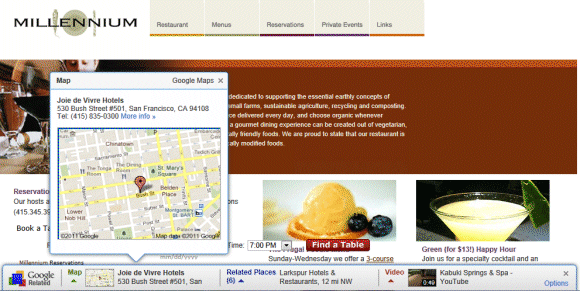

If you go to the Wikipedia article about Adele, Google Related shows 5 YouTube videos, 5 articles from Google News and 5 pages from Google Search.


Google Related is another feature that requires sending the list of all the pages you visit to Google's servers. To find related pages, Google needs to know the URL of the page you're visiting. The so-called "enhanced features" (PageRank, SideWiki, Google Related) send Google a lot of useful data. One of the most interesting ways to use the data is a feature that shows if a site is slow. Like all the other Google Toolbar "enhanced features", Google Related can be disabled from the "Options" dialog by clicking the "Privacy" tab.
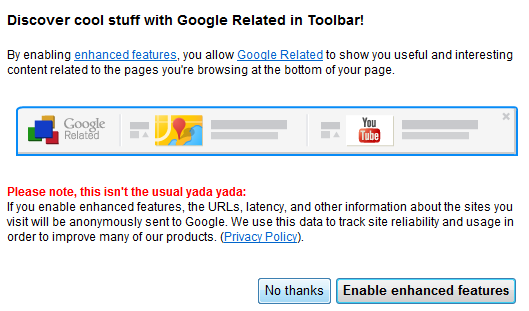

Apparently, Google Related only works if you've configured the toolbar's search site to be Google.com (United States of America - .com), so you may need to change this setting to enable Google Related.

Microsoft's Gmail Man Ad

Friday, July 29, 2011 0 comments
Mary-Jo Foley found a Microsoft ad that tries to convince businesses to choose Office 365 instead of Google Apps because Gmail shows targeted ads. Microsoft created a character called Gmail Man, a postman that doesn't care about people's privacy and reads their messages to find related ads.

The irony is that the paid version of Google Apps doesn't show ads, even though administrators can choose to enable them. I thought that the whole "Gmail reads my mail" myth was debunked back in 2004 and people realized that online email services already used algorithms to index messages and to find spam.


"It was a fascinating angle in 2005 while Gmail was still new and under all kinds of scrutiny, but today, who cares that your emails are automatically scanned, really? Even before Gmail, ISP's already had the ability to read all your emails, but it has never really stopped anyone from using the email service of their choice," thinks Cédric Beust, a former Googler.

{ via Daring Fireball }

New Interface for Google Books

0 comments
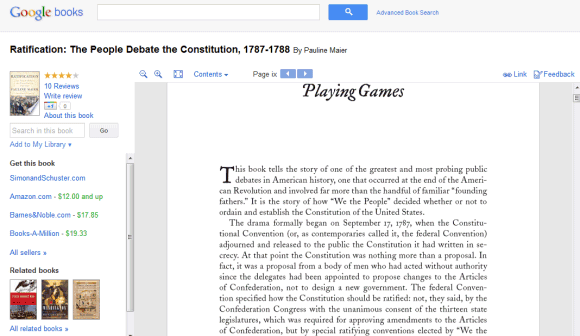
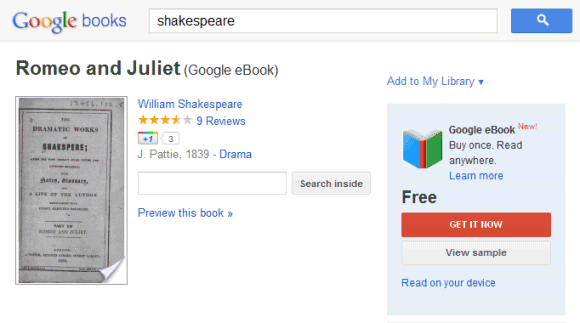
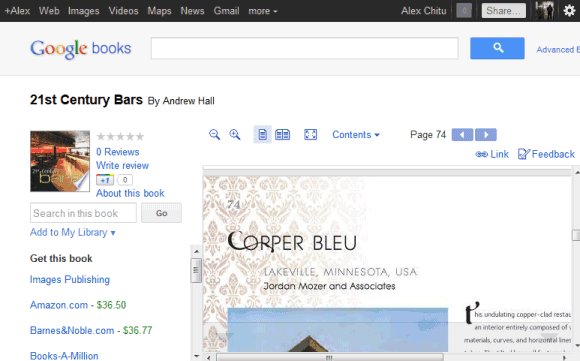
Google Books is the latest Google service with an updated interface that's cleaner and more consistent. Unfortunately, this means there's more white space and less space for books. For example, on a 800x600 resolution almost two thirds of the screen are used for navigation elements. Even if you click the "full screen" button, Google still displays the navigation bar, the search box and the toolbar buttons, while hiding the sidebar and the book's title.


It's clear that the new Google+ interface is not suitable for all Google services and consistency sometimes makes Google's tools less useful. Displaying the navigation bar and the search box takes away valuable space and this is especially noticeable if you use a netbook. The new interface is not flexible or elastic, like Google intended. "The new design will soon allow you to seamlessly transition from one device to another and have a consistent visual experience. We aim to bring you this flexibility without sacrificing style or usefulness," explained Google. It seems that the new design sacrifices usefulness for the sake of consistency.

{ Thanks, Kon Young. }

Gmail's Auto-Forwarding Notice

0 comments
Google decided to show a pink bar which informs Gmail users that their messages are automatically forwarded to another email address. The annoying "you are forwarding your email to ..." is displayed for about 3 minutes every time you open Gmail this week.


The explanation for this temporary annoyance is that some malicious software or other people who gain access to your account can setup auto-forwarding. "For about a week, this notice will appear for a few minutes each time you sign in to your account. Displaying the notification in this way helps ensure that you have a chance to see the notice, rather than someone who might try to gain unauthorized access to your account and use this setting improperly. The notice will disappear immediately if you choose to disable the forwarding setting, but that decision is up to you," mentions Google.

So that's the reason why there's no "dismiss" link and you're forced to see the pink bar again and again. Maybe it would be more useful to show this message for one week after auto-forwarding has been setup.

If you no longer want to see the message, temporarily disable auto-forwarding, switch to the simplified HTML interface or pin the Gmail tab if you use Chrome, Firefox or Opera. Another option is to add this filter in AdBlock Plus: mail.google.com##.fVKDI (the extension is available for Firefox and Chrome).

Wedding Anniversary

0 comments
Just about reached the end of July, Summer fast coming to an end, well it's never really got going up here, been so cold over the last week apart from one good day. Heating back on and today I'm sitting here with a thick woolly cardigan on, what on earth am I going to do when Winter comes I do not know!! Least I think the in crafting mode has returned and hope it's here to stay. Why I leave

Google's Tablet-Optimized Interface

0 comments
Google's services don't usually have interfaces optimized for tablets. They either use the desktop version (Google Search) or use the mobile version (Google Calendar, Google Docs). An important exception is Gmail, which started to test a tablet UI shortly after iPad's launch.

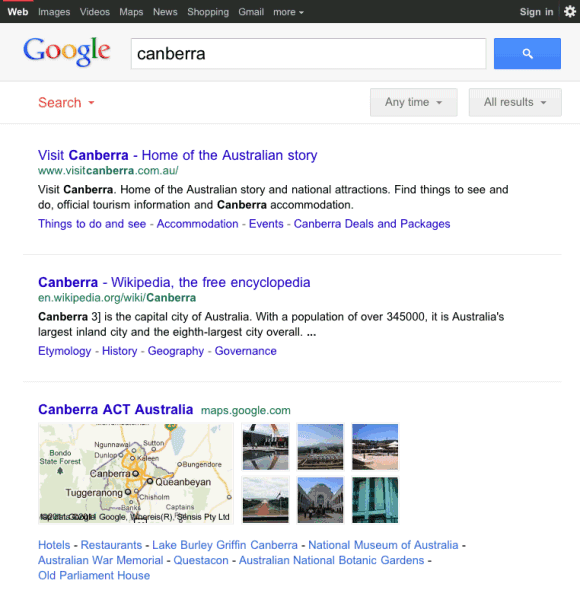
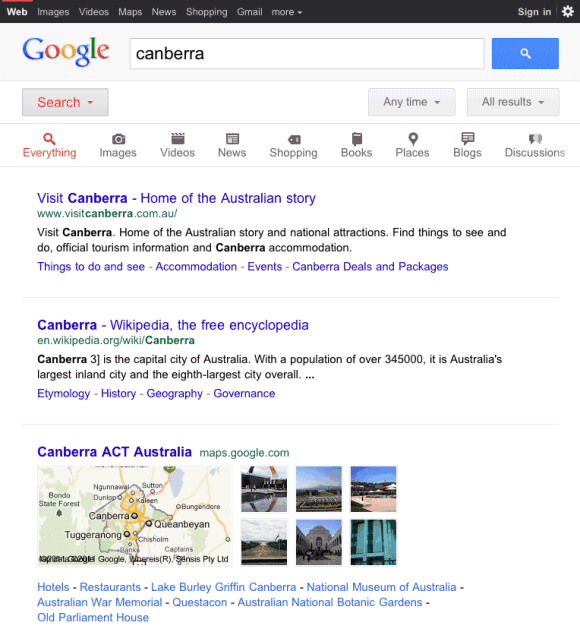
Google tests a new homepage and a new search interface for tablets. Unlike the standard desktop version, the new UI places the navigation menu and the search options sidebar at the top of the page, so that the search results take up most of the space.


Amit Agarwal, who first spotted the experimental design, says that it's cleaner. "The new Google design uses a single column layout, while the old sidebar options appear between the search box and the search results. There's plenty of whitespace between search results and links to the Cached version of pages have been removed in the new design."

The new layout is more readable and it's also used for specialized search engines like Google Image Search and Google News. Google Image Search for iPad now uses infinite scrolling and shows a lot more results. Unfortunately, the list of missing feature is impressive: no Google Instant or Google Suggest, no links to the cached pages or to the mobile transcoder, no link to the advanced search page.

I've only seen the experimental UI in iPad's mobile Safari, but I'm sure that it should also be available for Android tablets like Motorola Xoom, Samsung Galaxy Tab 10.1 or Asus Eee Pad Transformer. Clearing browser's cookies might help.

Update: Google Mobile blog informs that the new UI "is rolling out in the coming days to iPad and Android 3.1+ tablets across 36 languages."

{ Thanks, Mushaf. }

Google Hotel Finder

0 comments
Google launched an experimental service that would've been perfect for Google Labs: Hotel Finder. The service lets you find a hotel in US and it has a few clever features that make it stand out.

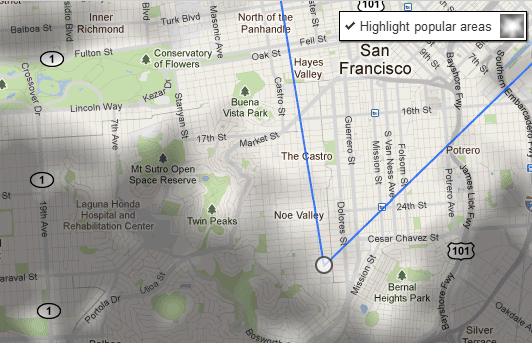
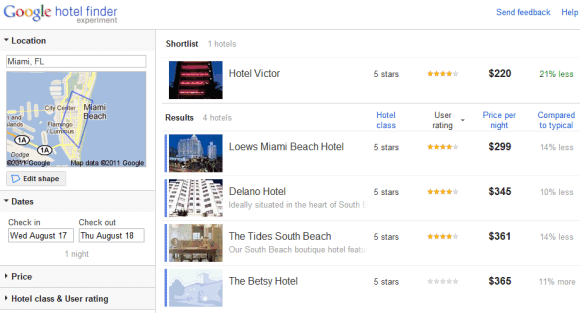
You can add shapes to the map to restrict the list of results to your favorite areas. Google highlights the most popular areas to help you. By default, Google creates a shape based on the most popular places.

Using shapes to filter results is not an original feature, but it's useful and it's surprising to see that Google Maps didn't add it.


After selecting the location, Google lets you pick the check in and check out dates, choose a price range, a hotel class and restrict the results to hotels that have great user ratings.


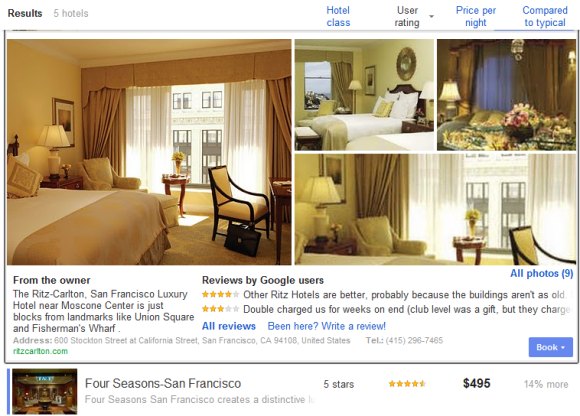
Another cool feature is that the results can be expanded inline so you don't have to open a new page to see some photos and read the reviews. Add the hotels you like to a "shortlist" to quickly compare them.


Google Hotel Finder is also useful to find great deals. The "compared to typical" section offers some information that's not easy to find by comparing the current prices with the historical averages.

Unfortunately, you can't book hotels using Google's service, at least not directly. Google Hotel Finder sends you to sites like Booking.com, Priceline, Expedia, Travelocity.

For now, Google Hotel Finder only works for US hotels, but it's a surprisingly strong offering. While there are many features that need to be added to compete with Bing Travel, Google's service is really promising. It's fast, easy to enough and offers helpful information that's not available elsewhere.